
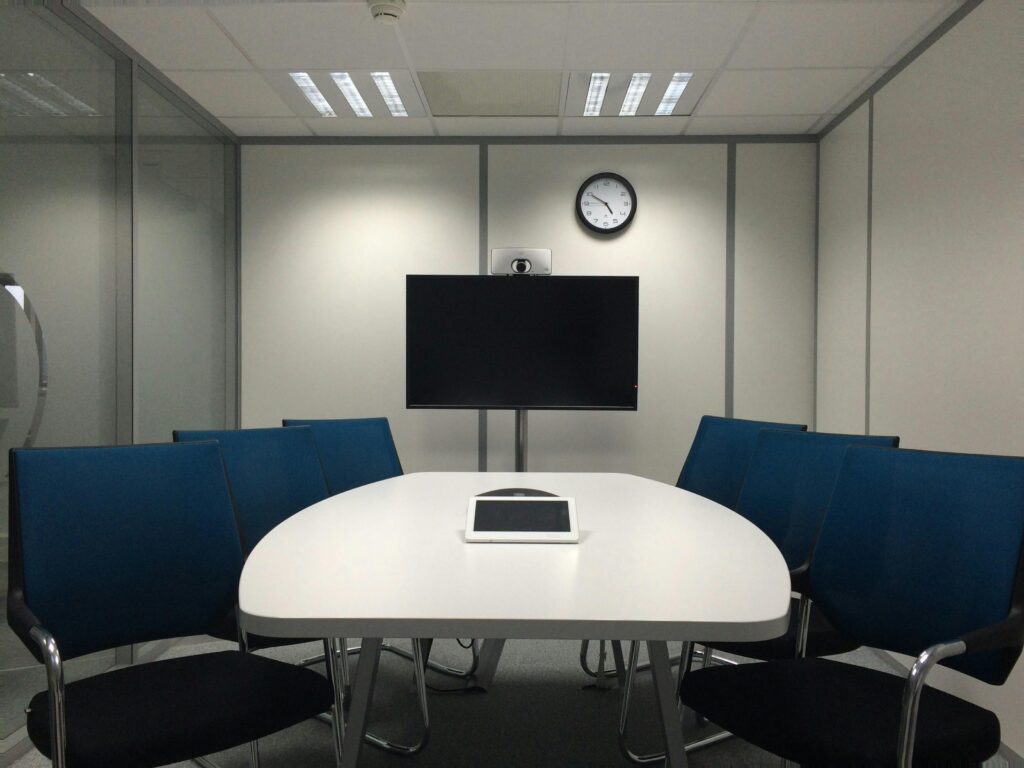
The workplace is undergoing massive changes. With distributed and remote work becoming more common, meeting rooms need a redesign. If meetings will continue to be a staple in your organization, they should be designed to optimize team collaboration digitally. At D&P Digital Forensics, we know modern AV integration is one of the most important ways to support inclusive meeting spaces for hybrid work. Ready to level up your meeting room game? Read on to learn what makes a meeting room immersive, why AV integration is important, and how to design meeting room tech that will seamlessly connect your team, no matter where they’re located.
The Strategic Value of Immersive Meeting Rooms
Before we jump into best practices for designing immersive meeting rooms, let’s talk about why you should invest in AV technology. There are many reasons to future-proof your business with immersive meetings, but here are a few of our favorites.
Enhancing Collaboration in a Hybrid Work Model
Put simply, you should design meeting rooms with hybrid equity in mind. Hybrid equity refers to the ability for in-person and remote participants to equally engage in the meeting. In many cases, remote employees often experience lower levels of access and feel disconnected from the conversation. Remote employees shouldn’t have to fight low audio to hear what’s being said, or squint to read the whiteboard. Integrating high-quality AV technology helps create a more consistent meeting experience for all attendees.
Eliminating distractions like audio issues and poor video quality allows employees to focus on the task at hand. When everyone can hear (and understand) each other without draining their voice or brainpower, meetings become more productive and less fatiguing. (“Zoom fatigue” is real, folks.)
Driving Productivity and Decision-Making
Broken technology is the death of productivity. Nothing is worse than falling behind during a meeting because your video stream is lagging. Not only does low technology steal time from employees, but it also creates frustration.
If your employees can’t quickly join a meeting and start sharing their screens without fumbling with cords, they’ll spend more time getting irritated and less time collaborating. Integrating easy-to-use AV technology with modern AV integration services allows teams to jump into the nitty-gritty much faster.
Core Components of a Modern AV System
So, what tech should you include to create an immersive meeting room with modern AV integration? Well, that depends. Every organization has different needs when it comes to conference room technology. However, there are a few aspects of immersive meeting rooms that should be consistent.
High-Definition Visual Displays
An immersive experience should be seamless. Video streams shouldn’t freeze, and remote employees shouldn’t have to strain to read presentation slides. Everyone should be able to easily view content on the main display(s).
Ideally, your main displays will be high-quality 4K (or higher) so everyone in the room can clearly view content from any location. Many organizations are opting for video walls to create brighter and more uniform displays. If you want remote employees to collaborate on documents in real time, consider integrating an interactive whiteboard. These smart boards allow employees to mark up documents and save files directly to the cloud. Display size and mounting height will vary based on the size of your room. Measure out your space and consider how your team will use the room before purchasing any equipment.
Advanced Audio Solutions
As we mentioned before, nobody wants to sit through a meeting where they can see someone’s lips move, but they can’t hear what’s being said. That’s why many immersive conference rooms include ceiling microphones with beamforming capabilities. Beamforming automatically follows the person who is speaking and filters out background noise.
As for audio speakers, we recommend installing soundbars or distributed ceiling speakers to allow everyone to hear clearly. Additionally, outfitting your room with carpet, curtains, and/or acoustic panels can help eliminate echo-related distractions.
Intelligent Camera Systems
Elaborate video camera setups are a must for immersive meeting spaces. Many organizations are integrating intelligent cameras that use AI technology to pan and zoom to the current speaker. If you want to take things a step further, you can install multiple video cameras to allow remote employees to see who is speaking and pick up on nonverbal cues.
Unified Control and Integration
Do you or your employees struggle to remember which remote controls your video projector or screen? At D&P Digital Forensics, we say it’s time to upgrade. Integrating unified control systems allows everyone to access screens, adjust lights, and share content from one simple touch panel. Another thing to consider is integration with your video conferencing platform. Whether your organization uses Microsoft Teams, Zoom, Webex, or another platform, having the option to create custom integrations can reduce compatibility headaches down the road.
Key Design and Environmental Considerations
No matter how impressive your tech is, if your meeting room design isn’t functional, your efforts will be wasted. Let’s chat about a few environmental factors to keep in mind when designing your immersive meeting room.
Room Layout and Furniture Configuration
Conference rooms with large, oval tables might be terrific for in-person meetings, but they don’t offer the best video conference setup. When everyone is sitting behind a giant desk, it’s hard for remote employees to feel connected and engaged.
Consider rounding the table or creating a U-shape so everyone is facing the camera and each other. Paying attention to furniture layout can help your employees stay connected, regardless of location.
Lighting and Acoustics
Lighting can make or break any meeting. Harsh overhead lighting can create shadows and cause remote employees to struggle to see their in-person colleagues. Try to use soft lighting that minimizes shadows.
Just like lighting, audio can make or break a meeting. Hard surfaces like concrete floors and windows can create an echo. Consider installing carpet, acoustic panels, and curtains to help improve your audio quality.
Network and Cabling Infrastructure
Did you know streaming high-quality video requires a lot of bandwidth? Make sure your meeting room is wired to a separate network so you don’t experience any lag or dropped calls.
Routing cables can be a pain, but it’s essential! Not only is cable clutter a common trip hazard, but cords left dangling can easily get kicked or pulled during meetings, causing unexpected disruptions.
A Framework for Successful Implementation
There are many routes you can take when designing and implementing an immersive meeting room. However, here is our recommended process:
Step 1: Needs Assessment and Goal Definition
First, ask yourself: what will this room be used for? Will it be used to host large company meetings? Brainstorming sessions? Understanding the primary function of your room will help you design a space perfectly suited to your needs.
Step 2: System Design and Vendor Selection
Now it’s time to get down to business. Your system design should outline all the components you plan to use, how those components will be wired, and how they’ll integrate with other technologies.
It’s important to select a team of AV consultants, like us at D&P Digital Forensics, that has experience with installation and integration. Ensuring all your tech works seamlessly with your existing hardware and software will save you headaches in the future.
Step 3: Installation and Commissioning
With your system design in hand, your AV partner will get to work installing screens, running cables, and hooking up the hardware to your network. Commissioning helps your technology work together more smoothly and efficiently.
Step 4: User Training and Ongoing Support
Technology is useless if no one knows how to use it. Once your system is installed, be sure to schedule a training session for your employees. It’s also important to consider future maintenance and service agreements.
Searching for the right AV technology can be daunting. The good news is that you don’t have to go it alone. Here at D&P Digital Forensics, we can work with you to assess your current meeting space and find the right solution for your team. Contact us today to get started.